Skype is gone. Teams has no dial pad.

The Microsoft Teams Alternative for Calling Real Phone Numbers

Microsoft folded Skype into Teams - and the dial pad didn't make the trip. CallTuv brings back what you actually used Skype for: calling landlines and mobiles in 200+ countries, straight from your browser, pay per minute. It's also the best Skype alternative.

Someone called United States

1 minute ago

Call your grandma/
Call your bank/
Call Worldwide/
Call your customers/
Call your friends/
VoIP calls/
Call your boss/
Call your insurance/
Cloud Phone System/
Call Apple/
Call your family/
Call your airline/
VoIP for E-commerce/
Call your doctor/
Call your office/
Call your loved ones/
VoIP for Sales Teams/
Call international numbers/
Call anyone, anywhere/
VoIP for Support Teams/
Call your grandma/
Call your bank/
Call Worldwide/
Call your customers/
Call your friends/
VoIP calls/
Call your boss/
Call your insurance/
Cloud Phone System/
Call Apple/
Call your family/
Call your airline/
VoIP for E-commerce/
Call your doctor/
Call your office/
Call your loved ones/
VoIP for Sales Teams/
Call international numbers/
Call anyone, anywhere/
VoIP for Support Teams/

Microsoft Teams vs CallTuv for Phone Calls

Teams is a meetings platform. CallTuv is a phone. Here's how they compare when what you need is to dial a number.

CallTuv is a Microsoft Teams alternative built for calling real phone numbers. It dials landlines and mobiles in 200+ countries from any web browser, with pay-as-you-go rates from $0.03 per minute - no Microsoft 365 subscription, Teams Phone license, or calling plan required.

Microsoft Teams
Dial Landlines & Mobiles
No Subscription Required
Pay Per Minute
No Microsoft Account
Instant Setup
Video Meetings & Channels
Built for Calls
CallTuv
Dial Landlines & Mobiles
No Subscription Required
Pay Per Minute
No Microsoft Account
Instant Setup
Video Meetings & Channels

Comparison refers to calling external landlines and mobiles. Microsoft Teams Free does not include calling to phone numbers; Teams Phone requires a Microsoft 365 subscription, a Teams Phone license, and a calling plan. If you need video meetings and channels, Teams does that well - CallTuv is built for phone calls. For live pricing and destinations, see rates and country codes.

Switching guide

How to replace Teams for phone calls in three steps

No migration project, no admin center, no licenses to assign. Replacing Teams for phone calls takes minutes, not meetings.

List the numbers you call

Family abroad, clients, hotels, offices. Check the dial codes for each destination.

Browse country codes

Check the per-minute rate

See exactly what each destination costs before you spend a cent. No calling plans to decode.

View rates

Make a real call

Open your browser, dial, and judge the quality yourself. No license or IT setup first.

Start calling now
The Skype shutdown

Skype is gone. Teams was never a phone.

When Microsoft retired Skype in May 2025, millions of users were pointed to Microsoft Teams Free. But the one thing most of them relied on - cheap calls to real landlines and mobile numbers - didn't come along. Teams Free has no dial pad, and Skype's pay-per-minute calling was simply discontinued.

To call a phone number from Teams today, you need Teams Phone: a Microsoft 365 business subscription, a $10-per-user-per-month Teams Phone license ($17 with a domestic calling plan, $34 with international), and an IT admin to wire it all together. That's a lot of enterprise software for "I want to call my mom in another country."

CallTuv is the other path: open your browser, type the number, press call. Pay for the minutes you use and nothing else.

The Teams Frustration Checklist

  • No dial pad without a Teams Phone license
  • Built for corporate meetings, not quick calls
  • Requires a Microsoft account and heavy app
  • Channels, tenants, and tabs just to have a conversation

What ex-Skype users actually need

You didn't love Skype because of its features. You loved it because dialing the world was simple and cheap. That's the bar any Teams alternative has to clear.

A Dial Pad, Front and Center

No channels, no tenants, no meeting links. CallTuv opens on a dial pad because calling phone numbers is the whole product, not a licensed add-on.

Pay Per Minute, Not Per User

Teams Phone bills per user, per month, plus a calling plan - whether you call or not. CallTuv charges only for the minutes you actually talk, starting at $0.03/min.

Runs in Any Browser

No desktop app, no Microsoft account, no updates. CallTuv works in Chrome, Safari, or Edge on any device, the moment you need it.

Credit That Never Expires

Skype users learned the hard way that credit can vanish after inactivity. Your CallTuv balance stays yours until you use it. Full stop.

You don't have to quit Teams. Just stop calling with it.

Keep Teams for meetings if your company runs on it. Use CallTuv for what Teams can't do without an enterprise plan.

200+ Countries

Dial landlines and mobiles almost anywhere on earth, with per-destination rates you can check before you call.

Landline Friendly

The people you call need nothing - no app, no account, no invitation link. Their phone just rings.

Zero Commitment

No contracts, no per-user licenses, no monthly fees. Top up when you need to, and your credit waits for you.

Instant Setup

From landing on the site to your first call in under a minute. No IT department required - or invited.

The Teams alternative for every kind of caller

Whether you left Skype reluctantly or got lost in Teams on day one, CallTuv covers the calls Teams was never built for.

For Ex-Skype Users

Teams alternative for Skype users

You used Skype to call parents, grandparents, and friends abroad - often on landlines. CallTuv restores that exact workflow: type a number, call it, pay cents per minute. Nobody on the other end needs anything installed.

For Small Businesses

Teams alternative for small business calls

You need to reach clients and suppliers by phone without buying Microsoft 365 seats and calling plans. CallTuv gives your team browser-based calling with clear per-minute costs and verified caller ID.

For Travelers

Teams alternative for calling while abroad

Hotel bookings, airlines, embassies, and banks answer phones, not meeting invites. CallTuv works from any browser on any network, so you can dial local numbers worldwide without roaming charges.

Built for Calls

The top Microsoft Teams alternative in 2026 for phone calls

Trusted by over 50,000+ users worldwide who left Skype and skipped the Teams detour entirely.

Simpler Than Teams Phone

Teams Phone means licenses, calling plans, and an admin center. As a Microsoft Teams alternative for calling, CallTuv replaces all of it with a dial pad in your browser and a balance you top up when you need to.

Cheaper Than a Calling Plan

Teams Phone with a domestic calling plan runs $17 per user, per month - $34 if you need international calls - whether you call or not. With pay-as-you-go calling from $0.03/min, that same money buys hours of actual talk time - making CallTuv the most flexible Teams Phone replacement around.

200+
Countries
$0
Monthly Fees
∞
Credits Never Expire

How CallTuv works

3 easy steps to call any country with CallTuv

Making low-cost international calls is easier than ever with CallTuv. Get set up in under 2 minutes, start saving on every call, invite teammates, manage contacts, and check call history - all in one place.

Step 01

Sign up

Create your account and team in seconds using email or your Google account.

Step 02

Add credits

Buy credits and pay only for the minutes you actually use. Your credits never expire.

Current balance$128.40

Enter an amount to add now

$

Step 03

Dial any number

Enter any phone number - landline or mobile, and hit the call button to connect in seconds.

Dialing+44 20 7946 0958

01:24

London · United Kingdom

Why CallTuv is the best Microsoft Teams alternative for calling

Everything Skype users came for, none of what Teams added on top.

A Real Dial Pad

Call any landline or mobile in 200+ countries. No Teams Phone license, no calling plan, no admin.

No App, No Account Maze

CallTuv runs in your browser. No Microsoft account, no desktop app, no updates interrupting your call.

Pay Per Minute

Skip per-user monthly licenses. Pay only for the minutes you use, with rates starting at $0.03/min.

Crystal Clear Quality

Direct carrier connections deliver HD voice quality, even on the mobile networks Teams struggles with.

Credits Never Expire

Top up once and your balance waits for you. No inactivity rules, no expiring credit.

Works on Any Device

Laptop, tablet, or phone - if it has a browser, it's a phone. Nothing to install for you or the person you call.

What to verify before you switch

A short checklist to confirm caller identity, flexibility, and cost transparency - the three things enterprise tools make complicated.

Show the right caller ID

Make sure the people you call see a number they recognize and actually pick up.

Use your own number

Call from any device

Browser-based calling works on your laptop, tablet, or phone - no install, no sign-in dance.

Try the web dialer

Know what every call costs

Per-minute pricing per destination, visible before you dial. No per-user licenses to audit.

See rates

Fits any business type

Everything you need to communicate with your customers and team.

VoIP Phone Service

VoIP Phone Service

Affordable international calls for everyone. Make crystal-clear calls over the internet from your browser.

Cloud Phone System

Cloud Phone System

The modern cloud phone system for growing teams. Ditch expensive desk phones and complicated PBX systems.

VoIP for Sales Teams

VoIP for Sales Teams

The high-velocity sales phone system. Close more deals with a phone system built for outbound sales.

VoIP for Ecommerce

VoIP for Ecommerce

Turn abandoned carts into completed orders. Recover lost sales and deliver exceptional customer support.

VoIP for Support Teams

VoIP for Support Teams

Resolve tickets faster with shared team balances. The cloud phone system for world-class support.

Customer reviews

What real callers say about CallTuv

People switch to CallTuv when they need a practical Skype replacement, a browser-based dialer, or just a cheaper way to place international calls.

SM

Steve M.

Verified caller•Sweden

I Googled and found CallTuv, quickly signed up and bought $5 worth of credit. I was able to easily call HMRC using the browser (no need to download or install software). The call quality was very good.
JN

Javiera N.

Verified caller•United States

This app is very useful for international calling. The connection is stable, audio quality is clear, and it’s easy to use.
CR

Colin R.

Verified caller•Spain

With the loss of Skype to make international calls, I needed a replacement. It was easy to register, add credit, and start calling. The Spain-to-UK quality was excellent and the cost was lower than I expected.
JS

Jesse S.

Verified caller•Great Britain

My phone was stolen and I needed to make calls to secure my accounts. I quickly added credit and made the necessary calls with good quality audio.
RW

Rahel W.

Verified caller•Ethiopia

I was looking for an affordable and quality app to make an international call and found CallTuv the best option. I was more than satisfied by the service.
YP

Yuriy P.

Verified caller•Poland

It’s just amazing service! Love the quality and how easy it is to call!
PM

Paul M.

Verified caller•Italy

The first calls I made were excellent. Then I had a problem with one number, contacted customer service, and they responded immediately and fixed it.
PC

Paul C.

Verified caller•United States

Sign up was simple, adding money to my balance was easy, and the UK call I needed cost about 36 cents for around 10 minutes. Call quality was good on both ends.
BB

Ben B.

Verified caller•Great Britain

I’m travelling in Bali and was unfortunately hospitalised with an illness. I needed to speak urgently with travel insurance and family back in the UK and found it freakishly difficult to find a solution. CallTuv was a complete godsend! Everything worked perfectly, and it made a tricky few days much easier to navigate. I’ll be recommending the app to everyone.
Y

Ying

Verified caller•Taiwan

It worked way wayyyy better than what I was expecting. I was in Taiwan and needed to call back to Singapore for work stuff. My normal phone line could not support the international call. I managed to call a government agency, navigate the IVR responses, and was charged under USD 2 for a 14-minute phone call. The interface was clean, the transmission had no delay, and I would recommend it.
PD

Paul D.

Verified caller•Australia

Initial scepticism gave way to satisfaction. I looked at a variety of calling apps, but CallTuv seemed like one of the better options and I am glad that I finally picked it. It worked perfectly for calls from Thailand to the UK at a very modest cost. It was especially valuable for reaching old friends who have not embraced newer calling technology, because calls could still be placed to both landlines and mobile phones. All in all, a good selection.
SS

Stephan S.

Verified caller•Canada

Excellent experience. In the past I did not use Skype, found it too complicated. But I tried CallTuv and it is so simple to use, yet perfect crystal clear conversations. I always struggled to communicate with my father in Europe or any company with a landline only, but with CallTuv this is over now.
ID

Ishi D.

Verified caller•Mongolia

I recently used CallTuv and had a fantastic experience. The call I made a few days ago was smooth, efficient, and truly successful. Everything worked exactly as I hoped, and I really appreciate the professionalism and reliability of the service. It made the whole process stress-free, and I’ll definitely be using CallTuv again in the future. Highly recommended!
DT

D Tran

Verified caller•United States

Great Skype replacement for me. Nice UI, and the app makes it easy to use.

Just want to call a phone number?
Skip the enterprise setup.

Join 50,000+ users who replaced Skype without the Teams detour. Dial any landline or mobile from your browser in under a minute.

No subscription
No Microsoft account
HD Quality

Check rates

The cheapest way to call any country

Pick a destination country to see the live per-minute rates for landline and mobile numbers.

I'm calling
Loading latest rate…

Pay Per Minute

Only pay for the minutes you actually talk - no hidden fees, subscriptions or contracts.

See Costs Upfront

Know exactly what each call will cost before you dial. No hidden fees, no surprises.

Credits Never Expire

Your calling credit stays in your account until you use it. No rush, no pressure.

Top Up Anytime

Add more credit whenever you need it. Start with as little as $5 and top up as you go.

Frequently asked questions

Everything you need to know about switching from Microsoft Teams to CallTuv for phone calls.

Microsoft Teams and Skype are trademarks of Microsoft Corporation. CallTuv is not affiliated with, endorsed by, or sponsored by Microsoft Corporation.

CallTuv mobile app icon

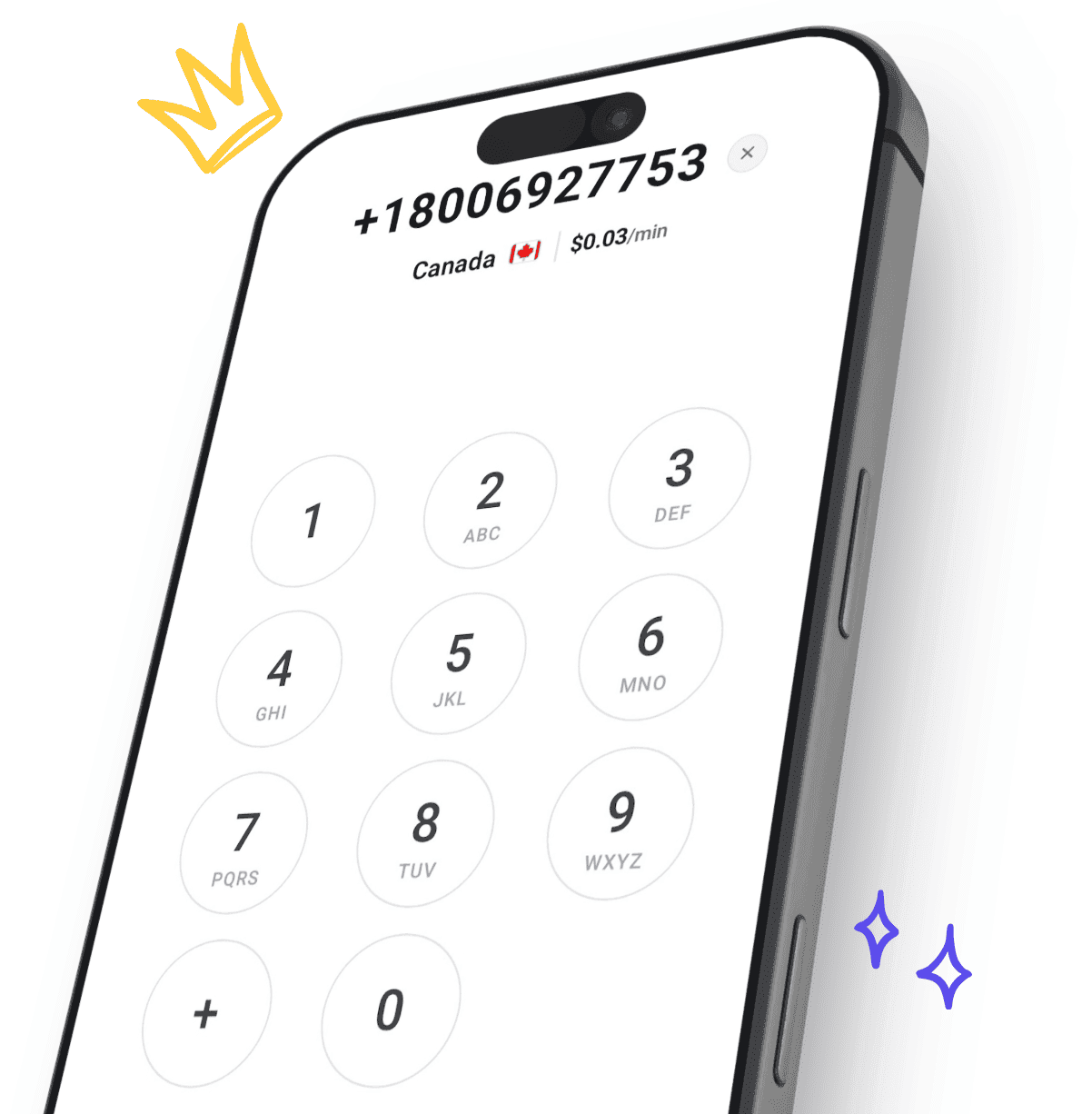
The easiest way to call internationally from your mobile

Top up, dial, and stay connected wherever you are with crystal-clear calls. Transparent pricing, no hidden fees, no subscriptions.

Get it on Google PlayDownload on the App Store
CallTuv mobile dialer app preview

How can we help?

If you have any questions, our team is here to assist you.

Ready to dial in?

Make cheap, crystal-clear international phone calls in minutes.

Create your account, add credits, and place your first call straight from your browser. No setup fees, no subscriptions.

  • Unlimited browser calling
  • Crystal clear HD audio
  • Free call recordings
  • Global coverage in 200+ countries
  • Pay-as-you-go credits
  • Share balance with members
  • No downloads required
  • Secure & private
CallTuv customer staying close with international browser calls